If you’ve spent any time in offensive security communities, you’ve seen the debate: build a home lab vs spin up a VPS and call it a day. Both camps have loud advocates, and both camps are partially right.
I’ve run dedicated home labs for years, and I’ve also done engagements and personal research entirely on cloud infrastructure. Neither is universally better. The right answer depends on what you’re trying to learn, your budget, your living situation, and — critically — your threat model for legal exposure.
Let’s break it down properly.
What We’re Actually Comparing
Before getting into specifics, let’s define terms:
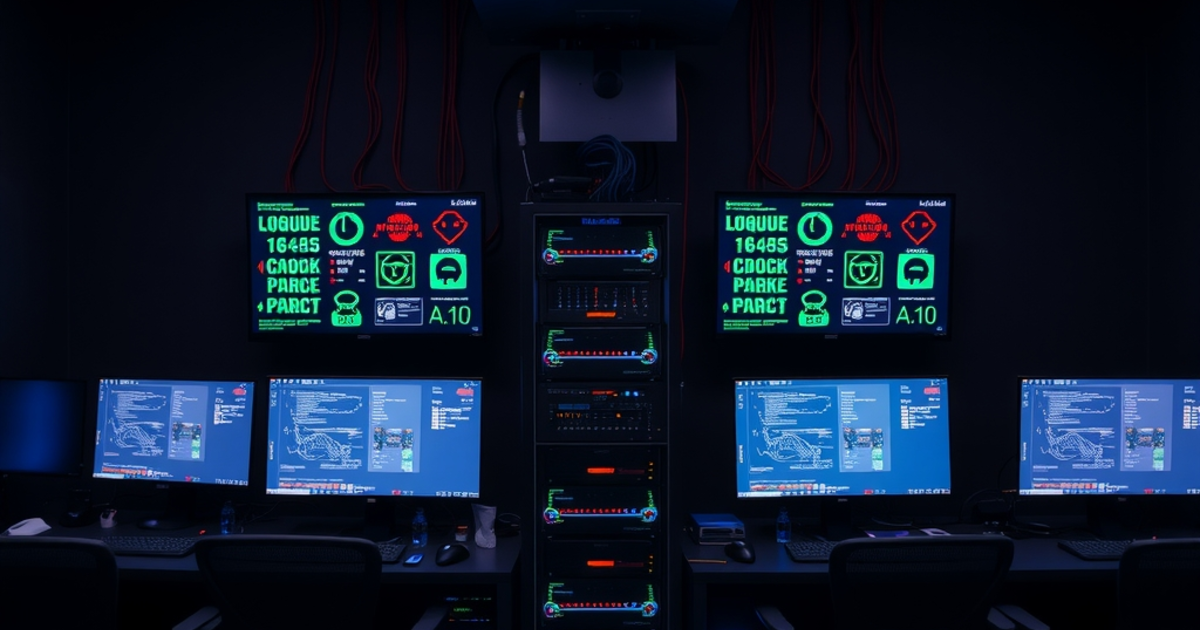
Home lab: Physical hardware you own, running in your home (or office). Could be a single Raspberry Pi, a refurbished mini-PC, or a proper rack with a 48-port switch and five bare-metal servers.
VPS (Virtual Private Server): A rented virtual machine from a cloud provider — Vultr , DigitalOcean , Linode, AWS, GCP, etc. You get root access to an isolated environment, pay monthly (or hourly), and can destroy it when you’re done.
These aren’t mutually exclusive. Most serious practitioners use both. But if you’re starting out or working with a limited budget, you need to know where to put your energy first.
Cost: The Real Numbers
Home Lab Costs
The hardware barrier is real. Entry-level home lab builds typically look like this:
Bare minimum (single machine): A refurbished mini-PC like a Beelink SER5 Pro or HP EliteDesk 800 G3 runs $150–300. Add RAM and an SSD and you’re at $200–400. This can comfortably run 4–6 VMs with Proxmox.
Mid-range lab: A Lenovo ThinkCentre M900 or two, a managed switch like the TP-Link TL-SG108E , and a GL.iNet GL-MT3000 Beryl AX for network segmentation gets you into the $500–900 range. Now you have a real network to practice against.
Serious rack setup: Used Dell PowerEdge servers, a proper 1U rack, UPS, and a 24-port managed switch can run $2,000–5,000 depending on specs.
Ongoing costs: Electricity. A small cluster running 24/7 might add $30–80/month to your power bill depending on hardware efficiency and local rates. Older enterprise hardware eats significantly more power than modern mini-PCs.
VPS Costs
Cloud is pay-as-you-go. The economics are dramatically different:
Vultr Cloud Compute: $2.50/month for a 512MB RAM / 10GB SSD instance. $6/month gets you 1 vCPU / 1GB RAM. A reasonable practice environment (2 vCPU / 4GB RAM) runs $24/month. Destroy it when done, spin it up fresh when needed.
DigitalOcean Droplets: Similar pricing. Basic droplets start at $6/month, 2 vCPU / 2GB RAM is $18/month. Both DO and Vultr offer hourly billing — a $24/month server costs about $0.036/hour. Run it for 10 hours of practice and you’ve spent $0.36.
Spot/preemptible instances (AWS/GCP): For computationally heavy tasks like password cracking, spot instances can be extremely cost-effective. An
r5.4xlargeon AWS spot might run $0.30–0.50/hour, giving you 128GB RAM for hash cracking exercises without owning any GPU hardware.
The math over 12 months:
- Home lab (mid-range): $700 hardware + $480 electricity = ~$1,180 year one, ~$480 ongoing
- VPS for equivalent practice: $20–50/month = $240–600/year, with zero upfront cost
If you practice irregularly, VPS wins on pure economics. If you’re running a lab daily, home hardware amortizes quickly.
Flexibility and Use Cases
Where Home Labs Win
Network simulation. You can’t replicate a real enterprise network topology on a single VPS. With physical hardware and a managed switch, you can build:
- Segmented VLANs (IT, OT, DMZ, management)
- Multiple subnets with different security policies
- Realistic Active Directory environments spanning multiple machines
- Wireless attack scenarios with USB adapters like the Alfa AWUS036ACH
This matters enormously for practicing lateral movement, pivoting, and network-level attacks. Doing these in a single-node VPS is a pale imitation.
Hardware-level security research. If you’re interested in firmware analysis, hardware implants, embedded device testing, or physical security, you need physical hardware. A VPS gives you nothing here.
Long-running services. Need a persistent C2 infrastructure for practice, a logging stack, a vulnerable app that’s always available? Home labs run 24/7 without billing concerns. Stand up your Metasploitable, DVWA, or Covenant instance and leave it.
Deeper hypervisor control. Nested virtualization, custom network namespaces, kernel modules, raw disk access — home labs give you full control of the hypervisor. Cloud VMs have restrictions.
Offline practice. No internet required. Useful for environments where connectivity is limited, or when you want a fully air-gapped environment that can’t accidentally touch real infrastructure.
Where VPS Wins
External attack surface simulation. Want to practice attacking internet-facing services? You need a real public IP. A Vultr or DigitalOcean VPS gives you that instantly. Practicing web app attacks, exposing a honeypot, testing your own external-facing services — all of this requires a public IP that cloud providers supply out of the box.
C2 infrastructure. Running a real C2 server (Cobalt Strike, Havoc, Sliver) for red team practice or actual engagements requires an internet-accessible host. Your home IP works but exposes your residential address. A VPS provides a clean, separable infrastructure.
Rapid spinning up/down. Need a fresh Kali environment? vultr-cli instance create --plan vc2-1c-1gb --region ewr --os 387 and you have one in 60 seconds. Need to nuke it after an exercise? Gone. No cleanup, no snapshots, no residual configuration to contaminate your next test.
Access from anywhere. Your home lab is stuck at home (or behind a VPN). A VPS is accessible from any network. When you’re traveling, on a client engagement, or just working from a coffee shop, your cloud infrastructure is always there.
Scalability for one-off tasks. Spinning up 10 VMs for a quick Active Directory lab to test a specific attack path, then destroying everything an hour later, is trivial on DigitalOcean . On a home lab, you’re constrained by physical RAM and CPU.
Legal Considerations: This Is Not Optional Reading
This is the section most comparisons skip. Don’t skip it.
The ISP Problem
Most residential ISPs have acceptable use policies that prohibit running servers, scanning external hosts, or operating “business” services. More importantly, outbound traffic patterns from a home lab — port scans, exploitation attempts against vulnerable VMs on your own network — can trigger automated abuse systems that flag your connection to your ISP.
You are not hacking anything externally. But automated systems don’t know that. A failed login storm against your own Metasploitable box still generates traffic that pattern-matches to credential stuffing.
What this means practically:
- Keep aggressive tools pointed at your internal RFC1918 addresses only
- Never run external scans or enumeration from your home IP without explicit written authorization
- Some ISPs will terminate your service first and ask questions never
A VPS from Vultr or DigitalOcean gives you an IP that’s already categorized as “datacenter” — abuse reports go to the cloud provider, not your personal internet account.
The Authorization Boundary
Whether on a VPS or home lab, the fundamental rule is the same: you may only attack systems you own or have explicit written permission to attack. Your VPS is yours. Your home lab is yours. Anything beyond that requires authorization.
The practical difference is this: on a VPS, it’s tempting to probe neighboring IPs, scan subnets, or “just check” what’s open on the internet. Don’t. Cloud providers monitor for this heavily and will suspend accounts — sometimes permanently — for unauthorized scanning. Both Vultr and DigitalOcean have policies against unauthorized network reconnaissance from their infrastructure.
If you need to practice external recon and scanning techniques, use dedicated platforms like Hack The Box or TryHackMe that provide authorized targets. Or stand up your own intentionally vulnerable target in the same cloud account and point your tools at that.
Data Residency and Sensitive Research
Researching malware, storing exploit code, analyzing samples — this has legal dimensions that vary by jurisdiction. On a home lab, that data lives on your hardware. On a VPS, it lives in a data center subject to the provider’s terms of service and potentially the legal jurisdiction of that data center’s location.
For serious malware analysis, most practitioners use dedicated isolated home lab environments with no external connectivity. The forensics community has learned this lesson repeatedly.
Performance Considerations
CPU and RAM
Modern VPS tiers are genuinely capable. A $24/month Vultr instance with 4GB RAM and 2 vCPUs handles light-to-moderate security workloads comfortably. Running Nmap, Metasploit, Burp Suite, basic enumeration scripts — no issues.
Where you’ll hit limits:
- Password cracking: Without GPU access, CPU-only hash cracking on a VPS is slow. Home lab with a dedicated GPU (or cloud GPU instances for bursts) wins here.
- Simultaneous VMs: Running 4+ VMs simultaneously for network simulation requires significant RAM. A VPS with enough RAM for this gets expensive fast.
- I/O intensive workloads: Vulnerability scanners, large file operations, database-heavy applications — shared VPS environments can have noisy-neighbor I/O issues that dedicated home hardware doesn’t.
Network Speed
Cloud providers offer excellent network connectivity. DigitalOcean and Vultr both provision gigabit interfaces by default. Internal traffic between your VMs in the same datacenter is fast and free.
Home lab network performance is typically constrained by your router and switch, but for internal traffic on a gigabit switch like the TP-Link TL-SG108E , you’re also at wire speed for local traffic.
The Recommended Setup by Experience Level
You’re brand new (0–6 months in)
Start with a VPS. Don’t spend money on hardware before you know what you need. Get a $6/month DigitalOcean droplet or a Vultr instance , deploy a vulnerable VM (Metasploitable 3, DVWA, a CTF box), and start breaking things. Pair it with TryHackMe or HTB for guided practice.
Invest the hardware money in learning resources instead. The Hacker’s Playbook 3 and Penetration Testing by Georgia Weidman will do more for your skills than a rack server at this stage.
You’re intermediate (6–24 months in, first cert or two)
Add a home lab for Active Directory practice. A refurbished mini-PC running Proxmox, a few Windows Server VMs, and a domain controller will teach you more about real-world lateral movement than any cloud substitute. Budget $300–500 for hardware. Keep using cloud for external-facing infrastructure.
You’re advanced (OSCP/CRTO/CRTE certified, doing real engagements)
You probably already have both. At this point the question is optimization, not choice. Dedicated hardware for heavy simulation, cloud for engagement infrastructure, automation to spin environments up/down on demand.
Consider a Raspberry Pi 5 8GB as a persistent always-on jump box that bridges your home lab and cloud environments without leaving a full server running at idle.
Bottom Line
Neither VPS nor home lab is universally better. They solve different problems:
| Home Lab | VPS | |
|---|---|---|
| Network simulation | ✅ Superior | ❌ Limited |
| External attack surface | ❌ Exposes home IP | ✅ Clean datacenter IP |
| Cost (light use) | ❌ Hardware upfront | ✅ Pay-as-you-go |
| Cost (heavy daily use) | ✅ Amortizes | ❌ Adds up |
| Hardware research | ✅ Yes | ❌ No |
| C2 infrastructure | ⚠️ Exposes home IP | ✅ Preferred |
| Portability | ❌ Stays home | ✅ Anywhere |
| GPU/hash cracking | ✅ With GPU | ⚠️ Expensive |
If I had to give one recommendation to someone just starting out: get a $6/month VPS first, practice until you know exactly what you need physically, then buy hardware with intention. Too many people build elaborate home labs before they know enough to use them effectively.
If you’re already past that stage: both. Use each for what it’s genuinely better at.
This article contains affiliate links. If you purchase hardware or sign up for a VPS through our links, we earn a small commission at no extra cost to you. We only link to products and services we’ve evaluated and would recommend regardless.
AI-assisted content — reviewed and edited by a practicing security professional.